
Wishlist
A Steam wishlist that helps you decide what is worth buying
Buying context
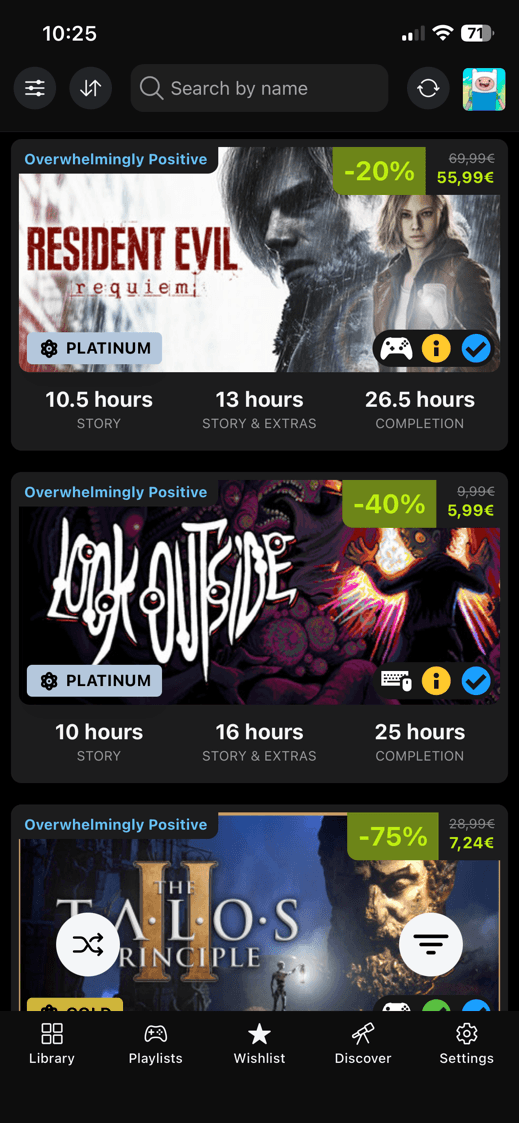
See the deal and the Steam Deck checks together
Your wishlist stops being a wall of sale prices. DeckFilter keeps the price beside the Steam Deck checks, then lets you dig deeper when a game still looks interesting.
Prices and availability use your selected Steam store country, because the same wishlist can look different from one store region to another.
Sale checks
Check the deal before opening Steam
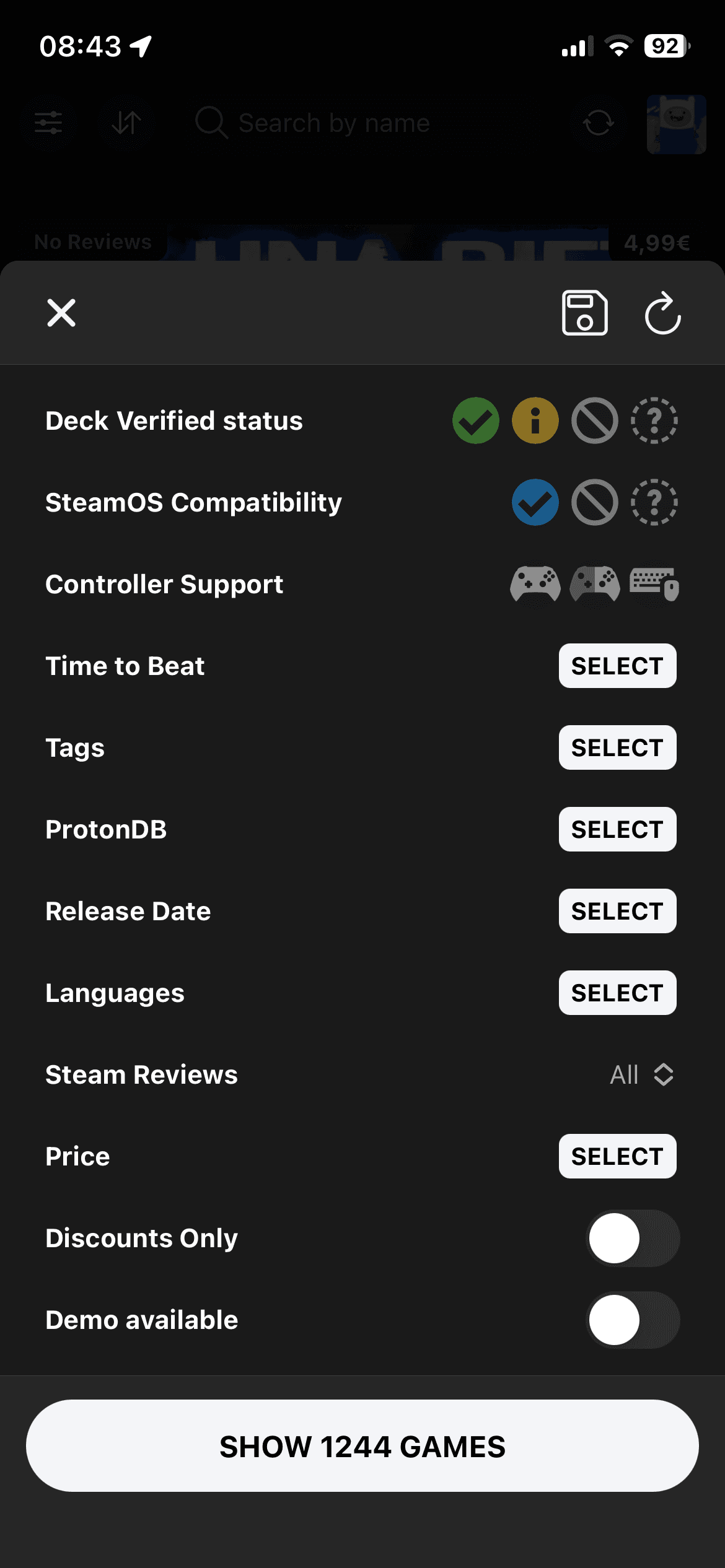
A cheap game still has to be a good pick. Wishlist filters help you move from a sale price to the games you might actually play.
You can focus on discounted games or demos, then narrow the list by play length when time matters.
Steam Deck checks
Do not let the price hide compatibility
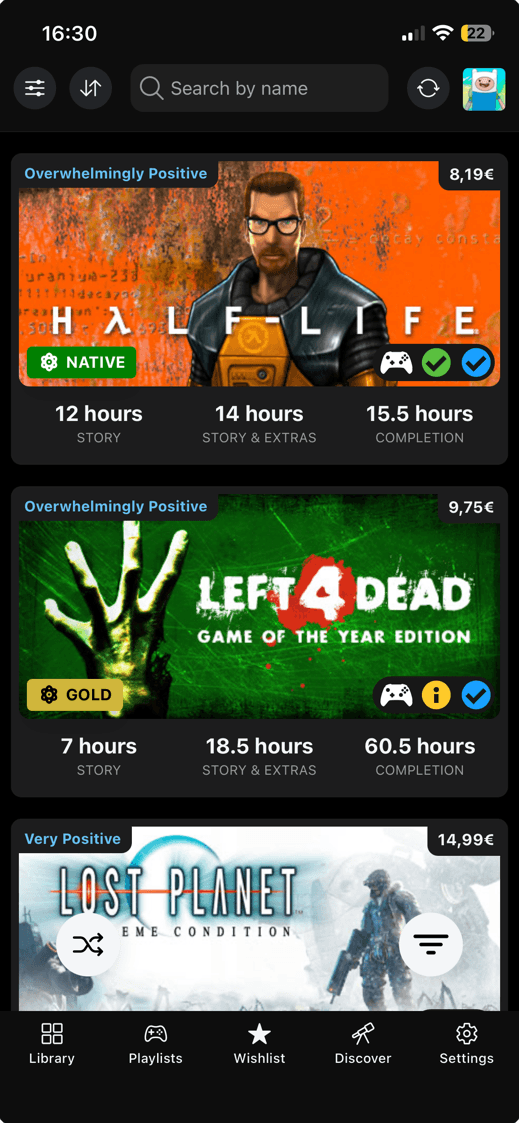
DeckFilter keeps Steam Deck compatibility and ProtonDB close to the price, so the buying decision includes how the game should feel on the device.
Wishlist cards can keep compatibility visible without making you open every store page. You can turn on more card details when a game needs a closer look.
Wishlist order
Sort by the reason you care
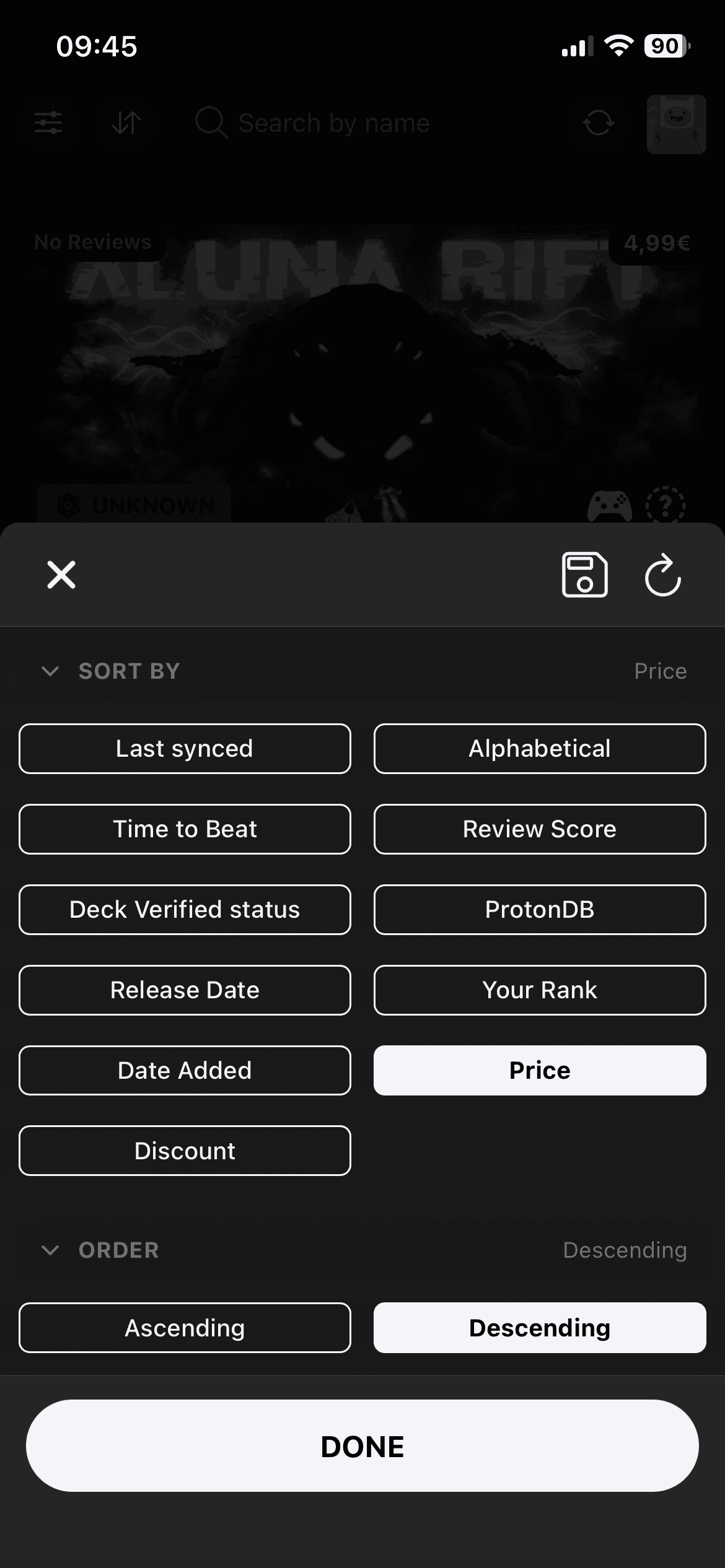
The built-in wishlist sort starts with Date Added, but a sale changes the question. Put your own ranking first or bring the safest Steam Deck picks to the top.
Coming soon games and non-game entries stay out of the normal wishlist when they do not belong there. Released games can move back after sync.
Game details
Check the store page before you buy
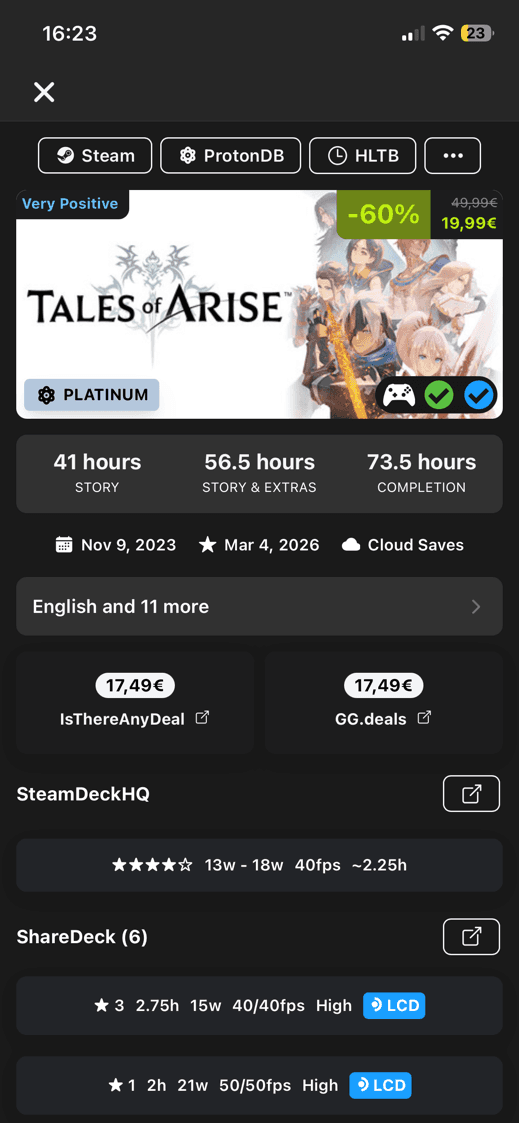
Wishlist details put the deal beside the Steam Deck checks. If the game still looks good, the same sheet gives you the links you need before buying.
For games that are not free and not coming soon, the details view can also show IsThereAnyDeal and GGDeals cards, so the deal check stays close to the Steam Deck check.