
Library
Your Steam library, finally narrow enough to pick from
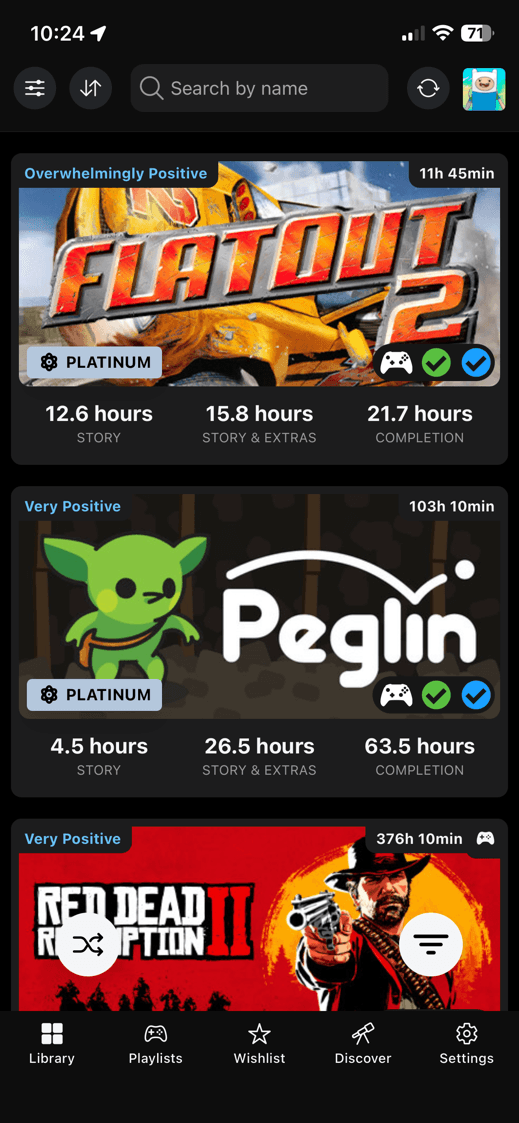
Owned games
Start with the library you already have
Sync your Steam library, then work from a list that knows more than the game title. You can see whether a game fits your Steam Deck before you open it.
A personal Steam API key improves sync quality and unlocks last played dates. Public profile sync still works, but the API key path is the better setup.
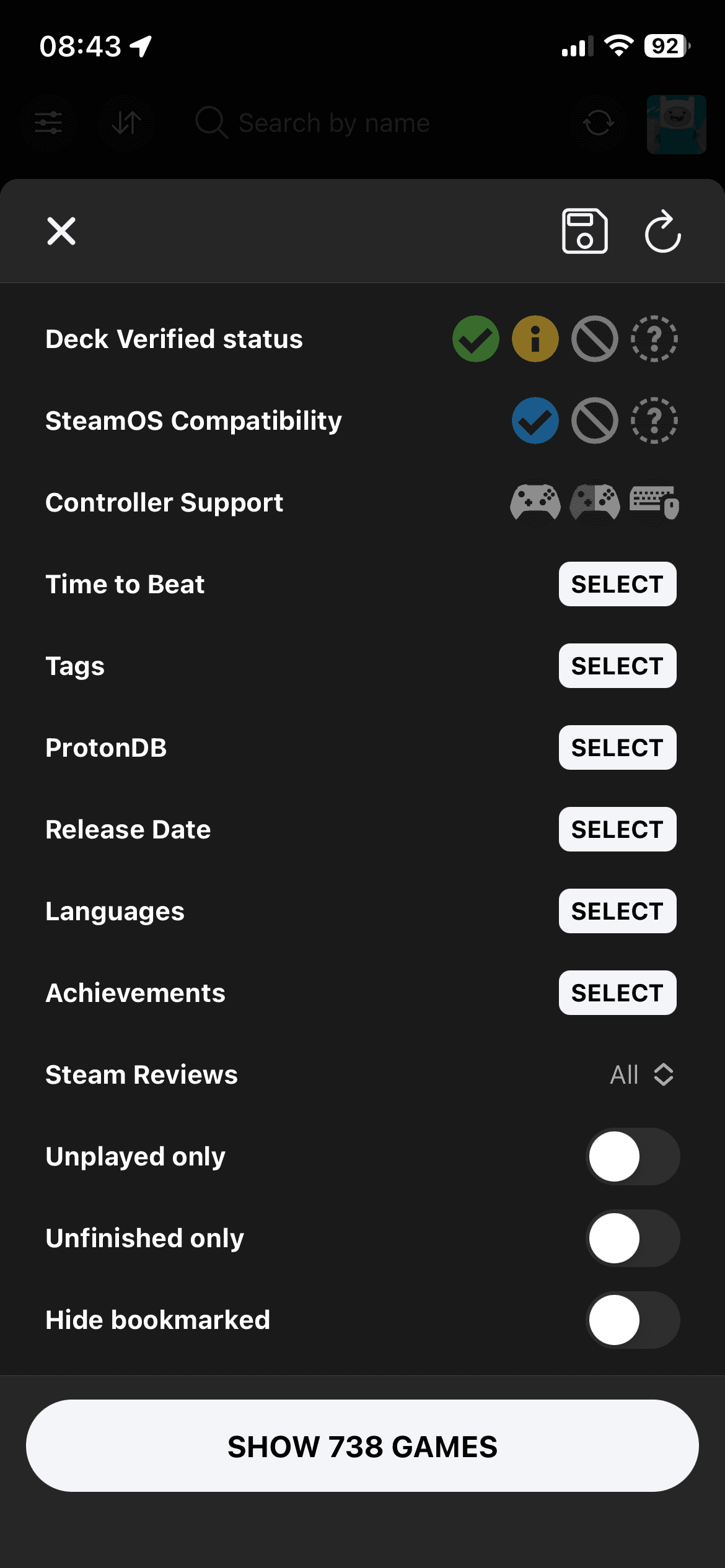
Backlog filter
Make the huge list smaller
Search first, then filter the result until the list looks like something you could pick from tonight.
Start with Steam Deck compatibility or ProtonDB. Then narrow by play length and language support, or focus on unfinished games.
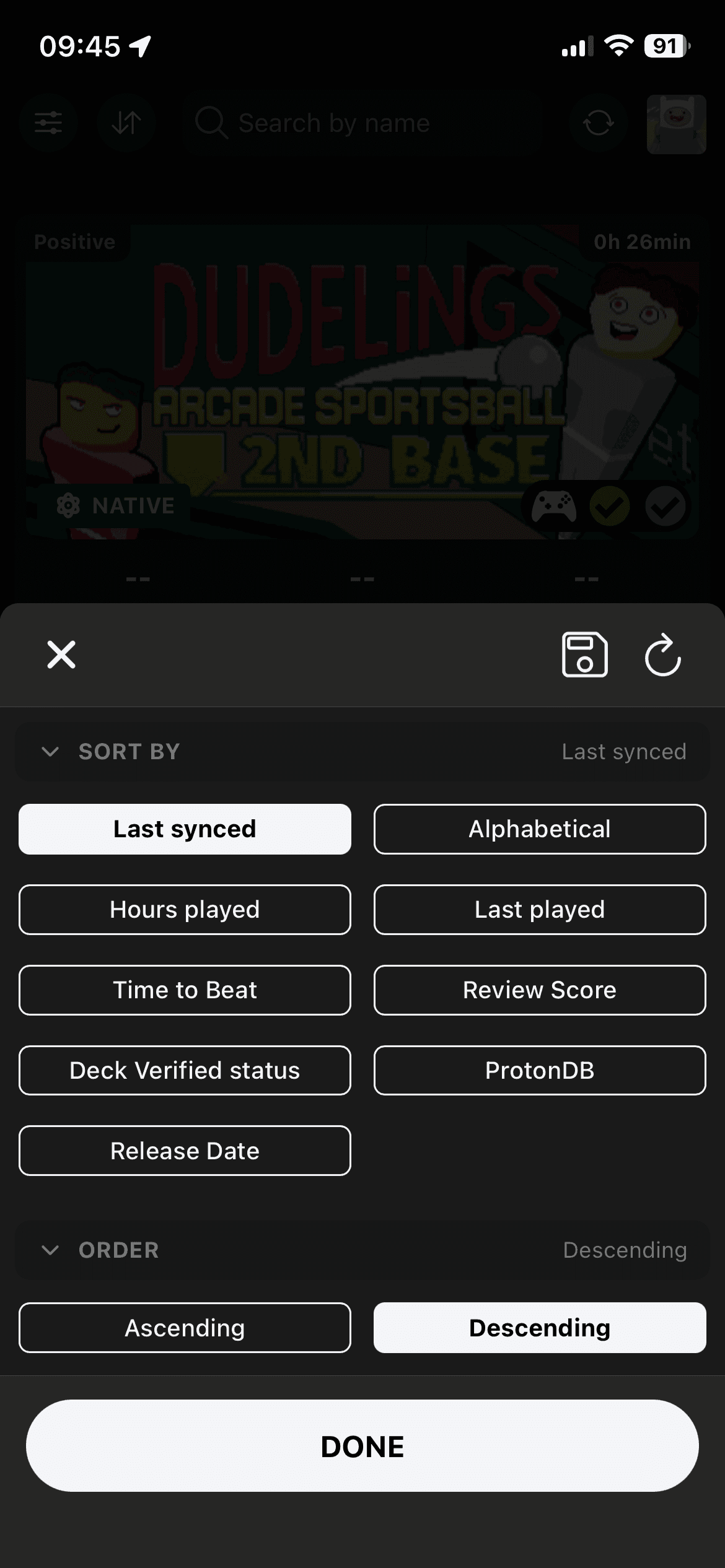
Pick order
Sort by the reason you are choosing
Once the list is short, sorting decides what comes first. Put recent activity first or surface the shortest and best reviewed picks.
Library sorting can also use last played dates when your Steam API key is connected.
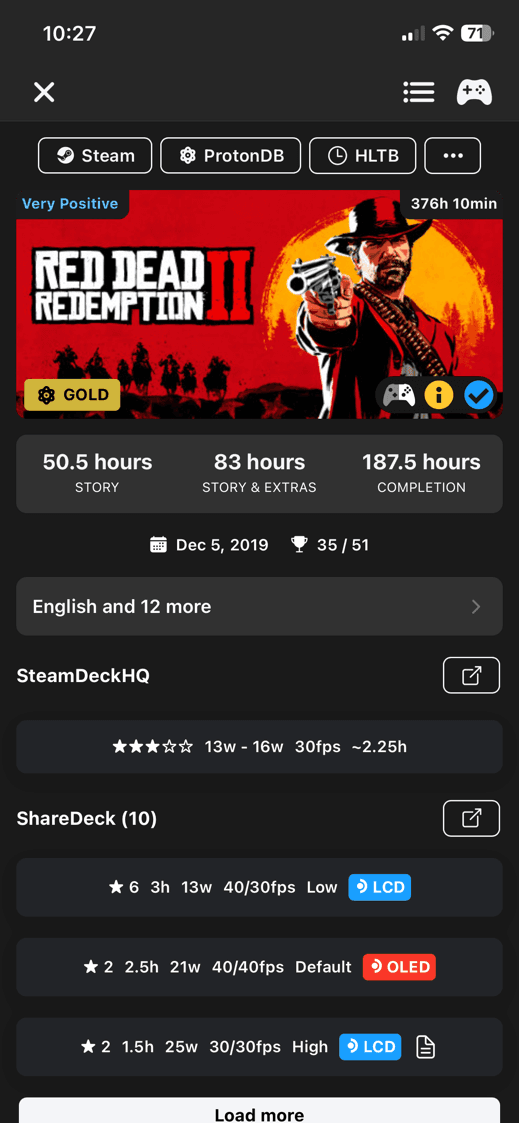
Game details
Check the game before launching
The game sheet is the quick check before you start. It shows whether the game fits your Steam Deck, then keeps the useful links close.
DeckFilter also keeps skipped items out of the main list. Steam can omit some unplayed free games, and DeckFilter filters out demos and test apps that do not behave like normal library games.