SteamOS 3.8 is finally here with Steam Machine support and better handheld support
SteamOS 3.8.10 is now available with initial Steam Machine support, a newer Linux kernel, KDE Plasma 6.4, HDMI VRR work, and a long list of non-Deck handheld fixes.
Valve has released SteamOS 3.8.10 for everyone, and this is one of the bigger SteamOS updates in a while. The headline items are initial Steam Machine support, KDE Plasma 6.4.3 in Desktop Mode, Linux kernel 6.16, newer graphics drivers, HDMI VRR work, faster future OS updates, and a lot of fixes for non-Deck handhelds.
I already tested the update on my Steam Deck OLED, Legion Go S, and Zotac Zone, and it works fine on all three. I also installed it on my couch PC with a Radeon RX 7900 XTX and Ryzen 7 9800X3D, and that setup has been flawless so far.
The one thing I could not test yet is the new HDMI behavior, because my current setup uses a DisplayPort to HDMI cable.
Below is the full SteamOS 3.8 changelog.
SteamOS 3.8 changelog
General
- SteamOS now uses a newer Arch system base.
- Valve added initial support for upcoming Steam Machine hardware.
- A connected Steam Controller can now wake the device from sleep.
- Future OS updates should download and install much faster on high-speed connections.
- Game Mode screen casting, including OBS and Discord use cases, has better support.
- Dropdown menus that did not appear in some games have been fixed.
- Valve fixed overly sensitive trackpads on some early Steam Deck LCD units.
- Games that try to open PDF files in external viewers should behave better.
- Remote Play should no longer freeze video output in the affected case.
- Game Recording should no longer crash the session with certain maximum video height settings.
- Valve fixed incorrect game window placement in some titles, including SpongeBob SquarePants: Titans of the Tide.
- Closing some games, including STAR WARS Jedi: Survivor and Starfield, should no longer crash the session.
- Some USB racing wheels and unusual USB devices now have better mode switching support.
- This includes USB devices that initially appear as installer storage and need the OS to switch them into normal device mode.
- Steam Deck controller firmware updates now show progress on the splash screen.
- A firmware update issue that could leave the left controller unavailable for the current session on certain Steam Deck revisions has been fixed.
- Valve included more stability and security updates.
Display and performance
- The graphics driver has been updated with performance and stability fixes.
- Devices with native HDMI output now have preliminary HDMI VRR support.
- "Allow Tearing" should now work correctly in configurations where it previously did not.
- VRR frame pacing has been improved.
- The performance overlay should now show the FSR badge when FSR is active.
- Per-app performance settings should apply more reliably when launching a game.
- Valve added missing graphics features needed by games such as Crimson Desert.
- A blank-screen issue on some TCL TVs with the Steam Deck Dock and VRR has been fixed, with a Dock firmware update required.
Bluetooth and WiFi
- Valve fixed a case where WiFi performance could stay degraded until sleep or manual reconnect.
- Bluetooth Wake is enabled again for Steam Deck LCD.
- The earlier false wake problems from previous Bluetooth Wake attempts should be fixed.
Audio
- SteamOS can now detect HDMI channel count and expose surround options when available.
- A new setting allows Bluetooth headset microphones, with lower Bluetooth playback quality while capture is active.
- If the internal audio device was set to Off in Desktop Mode, it should come back after reboot.
- HDMI audio devices now have a longer suspend timeout so initial audio is less likely to cut off after a few idle seconds.
- Switching input devices with a wired headset connected has been fixed.
- Audio underruns after sleep and resume have been fixed.
- Steam Deck OLED should no longer occasionally lose speaker output after reboot until a second reboot.
- FPS limits should now apply correctly when downscaling games from a higher resolution.
Accessibility
- Valve added a mono audio output option.
Desktop Mode
- KDE Plasma has moved from 6.2.5 to 6.4.3, with Wayland now used by default.
- Desktop Mode should avoid several cases where it performed worse than Game Mode.
- Rotated display support has been improved.
- TV scale factor defaults should be better.
- External HDR displays are now supported.
- VRR displays are now supported.
- Per-display scale factors are now supported.
- Valve points to KDE's Plasma 6.3 and Plasma 6.4 release announcements for more detail.
- Desktop Mode now follows the keyboard layout and language chosen in Game Mode.
- Proton game window behavior has been improved.
- Desktop Mode should now remember previously open apps correctly when using Return to Gaming Mode to log out.
- Experimental nested desktop mode received fixes.
- Night Color settings from Desktop Mode should no longer stay active after returning to Game Mode.
System firmware
- Steam Deck LCD now includes BIOS v133.
- The LCD BIOS includes security updates.
- Steam Deck LCD now has a Memory Power Down setup option.
- Steam Deck LCD gets preliminary hibernation support.
- Steam Deck OLED now includes BIOS v114.
- The OLED BIOS includes security updates.
- On Steam Deck OLED, the charging LED now changes color when the configured charge limit is reached, not only at 100 percent.
Non-Deck devices
- SteamOS has better compatibility with recent Intel and AMD platforms.
- Discrete GPU systems have much better video memory management.
- Valve fixed a SteamOS chainloader issue that could stop some desktop systems with newer UEFI firmware from booting.
- Short and long power button presses now work across more devices.
- Controller support has improved for OneXPlayer F1 series, GPD Win 5, GPD Win Mini, Anbernic Win600, OrangePi NEO, and Lenovo Legion Go.
- OneXPlayer X1 series and Lenovo Legion Go 2 now have controller support.
- Lenovo Legion Go 2 now has system and controller firmware update support.
- Legion Go, Legion Go S, and Legion Go 2 now have early charge limiting support in Desktop Mode.
- Lenovo Legion Go 2 now has controller RGB LED color settings.
- ASUS ROG Xbox Ally devices now have controller, TDP control, and speaker audio support.
- Handheld controller input latency has been reduced from the previous 5 to 8 ms range to roughly 100 to 500 us.
- Steam's night mode, color vibrance, and color temperature sliders now work on AMD Z2E and newer APUs.
- AMD Z2E and newer APU devices get seamless boot fixes.
- SteamOS can automatically handle internally rotated displays on some third-party handhelds.
- Handhelds with BMI260 IMUs should have better motion control support.
- SD card reliability has been improved on some third-party handhelds, including ASUS ROG Xbox Ally, Legion Go 1, Legion Go S, Legion Go 2, and MSI Claw.
- Washed-out colors on Zotac and OneXPlayer OLED handhelds have been fixed.
- Valve fixed some GPU hangs on Phoenix APU devices, including issues seen in Tales of Arise and Octopath Traveler II.
- ASUS ROG Ally fingerprint reader power draw while shut down has been fixed.
- Legion Go trackpad functionality after sleep and resume has been fixed.
- False wake-ups with Logitech Bolt receivers have been fixed.
- MSI Claw A1M, 7 AI+ A2VM, 8 AI+ A2VM, and A8 BZ2EM now have controller support.
- OneXPlayer APEX and X1 series now have controller support.
- Devices using AccelGyro3D, including Legion Go 1 and Claw A1M, should have better gyro response.
- Valve fixed a system crash on international ASUS ROG Xbox Ally models.
- Bluetooth should now work on affected Intel handhelds.
- Valve added initial firmware for upcoming Intel handhelds.
Developer changes
- Desktop Mode now uses Wayland by default.
- X11 can still be selected through Steam developer settings or
steamosctl. - The Linux kernel is now 6.16.
- Steam now uses
steamos-managerto query desktop sessions and switch between sessions. - Developer settings now support setting the desktop password.
- SteamOS now has initial virtual machine guest support through virtio drivers.
- Third-party devices can trigger the SteamOS boot menu through an EFI variable.
atomupd-managernow has acustom-updateverb for easier specific-build testing.- System reports now include more audio debug information.
- SteamOS now has initial LAVD CPU scheduler support through
steamosctl set-cpu-scheduler lavd.
Sources
One bug I still hit
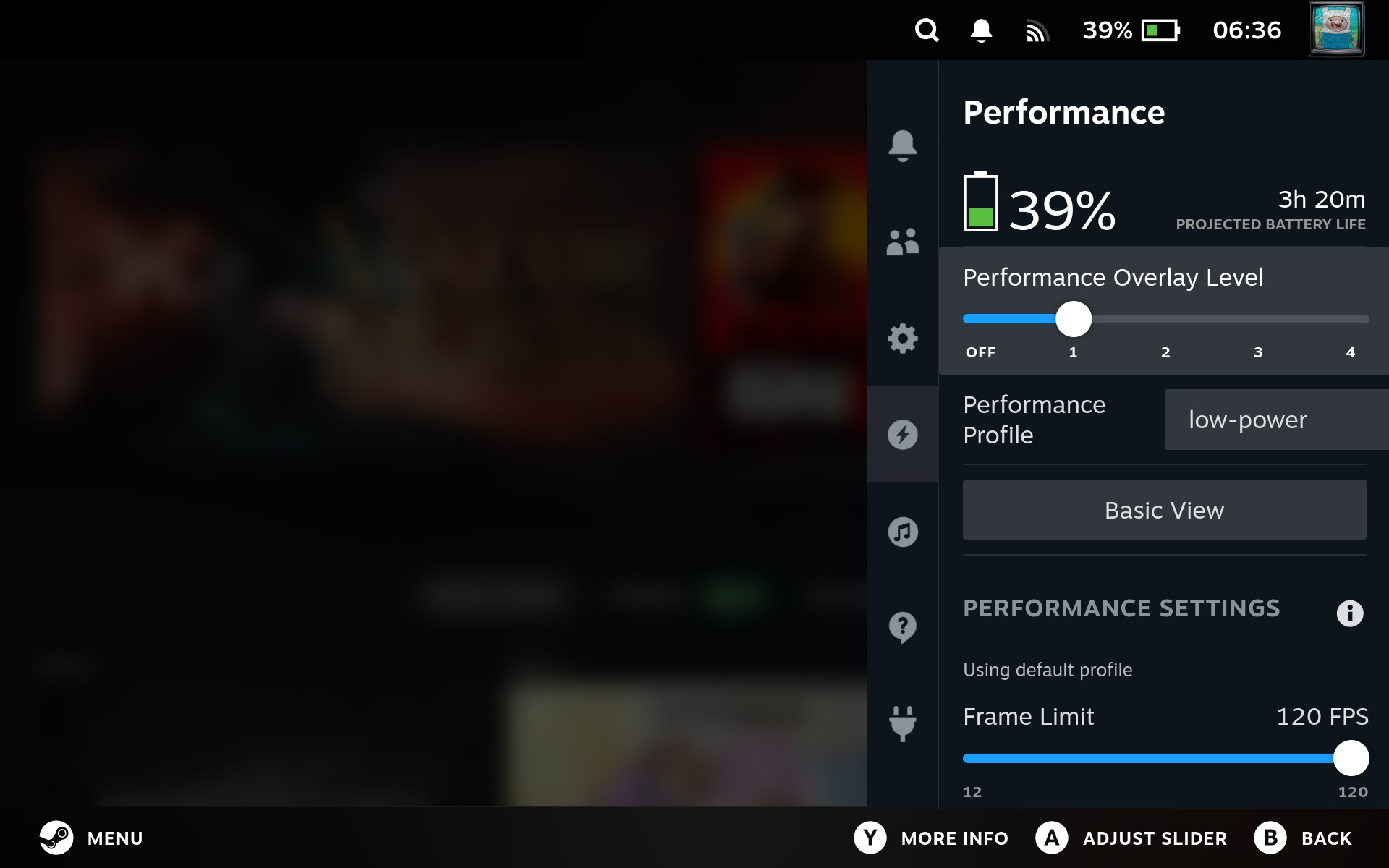
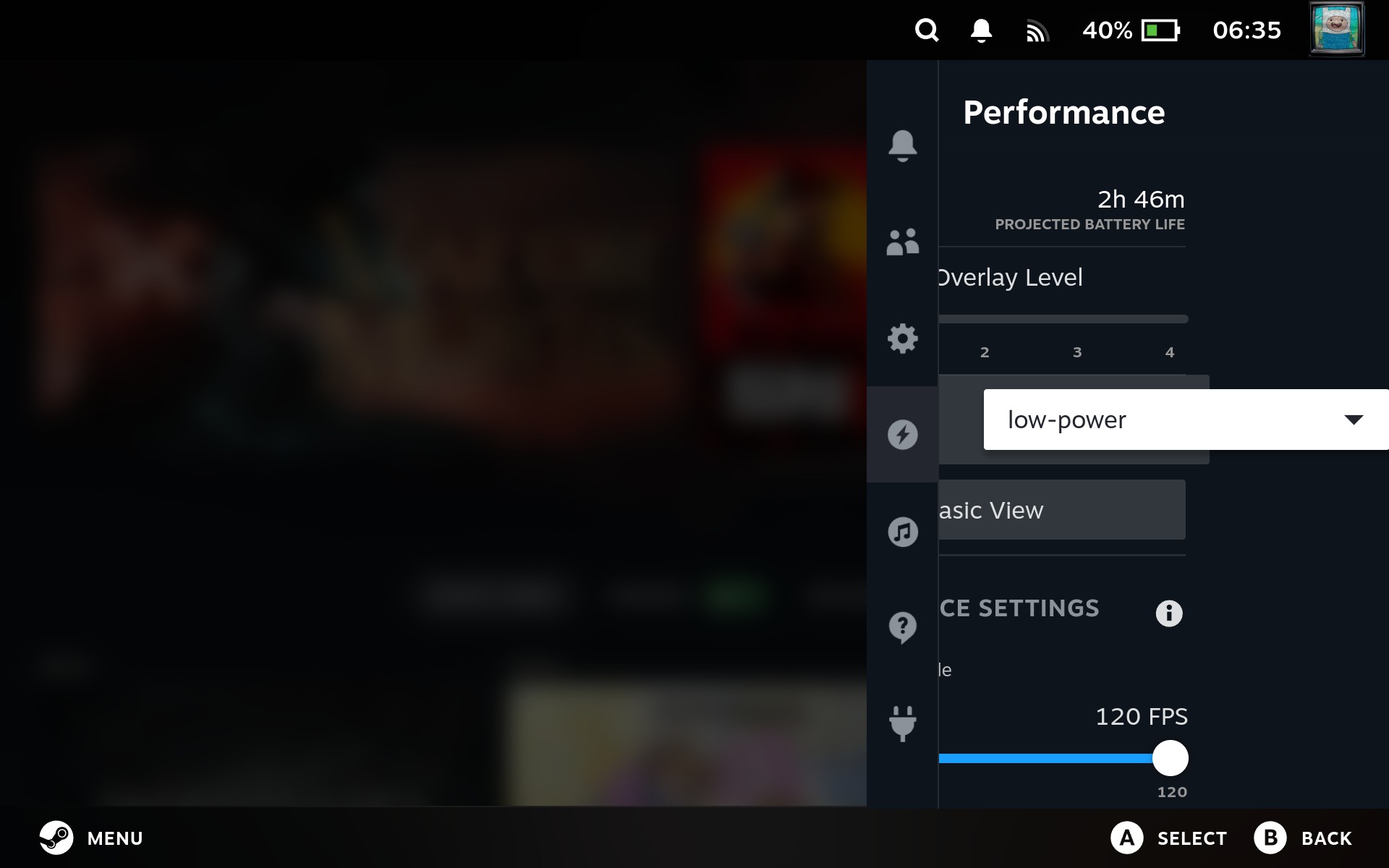
There is one issue I still see on third-party handhelds running SteamOS. The performance profile selector in the quick access menu is still laid out incorrectly, especially once you select that section.
This is not a showstopper, but it is exactly the kind of bug that feels easy to miss if most testing happens on Steam Deck hardware. I opened a steam-for-linux issue, then found the original SteamOS issue, which was already reported a while ago.